
VPN servers: Choose the best VPN location for your needs

Full list of ExpressVPN server locations (105 countries)
Americas
| Server Location | LIGHTWAY UDP | LIGHTWAY TCP |
WIREGUARD
|
OPENVPN UDP | OPENVPN TCP |
IKEV2
|
|---|---|---|---|---|---|---|
|
|
|
|
|
|
|
|
|
|
|
|
|
|
|
|
|
|
|
|
|
|
|
|
|
|
|
|
|
|
|
|
|
|
|
|
|
|
|
|
|
|
|
|
|
|
|
|
|
|
|
|
|
|
|
|
|
|
|
|
|
|
|
|
|
|
|
|
|
|
|
|
|
|
|
|
|
|
|
|
|
|
|
|
|
|
|
|
|
|
|
|
|
|
|
|
|
|
|
|
|
|
|
|
|
|
|
|
|
|
|
|
|
|
|
|
|
|
|
|
|
|
|
|
|
|
|
|
|
|
|
|
|
|
|
|
|
|
|
|
|
|
|
|
|
|
|
|
|
|
|
|
|
|
|
|
|
|
|
|
|
|
|
|
|
|
|
|
|
|
|
|
|
|
|
|
|
|
|
|
|
|
|
|
|
|
|
|
|
|
|
AMERICAS
Europe
Connect to a Europe VPN server
| Server Location | LIGHTWAY UDP | LIGHTWAY TCP |
WIREGUARD
|
OPENVPN UDP | OPENVPN TCP |
IKEV2
|
|---|---|---|---|---|---|---|
|
|
|
|
|
|
|
|
|
|
|
|
|
|
|
|
|
|
|
|
|
|
|
|
|
|
|
|
|
|
|
|
|
Azerbaijan |
|
|
|
|
|
|
|
|
|
|
|
|
|
|
|
|
|
|
|
|
|
|
|
|
|
|
|
|
|
|
|
|
|
|
|
|
|
|
|
|
|
|
|
|
|
|
|
|
|
|
|
|
|
|
|
|
|
|
|
|
|
|
|
|
|
|
|
|
|
|
|
|
|
|
|
|
|
|
|
|
|
|
|
|
|
|
|
|
|
|
|
|
|
|
|
|
|
|
|
|
|
|
|
|
|
|
|
|
|
|
|
|
|
|
|
|
|
|
|
|
|
|
|
|
|
|
|
|
|
|
|
|
|
|
|
|
|
|
|
|
|
|
|
|
|
|
|
|
|
|
|
|
|
|
|
|
|
|
|
|
|
|
|
|
|
|
|
|
|
|
|
|
|
|
|
|
|
|
|
|
|
|
|
|
|
|
|
|
|
|
|
|
|
|
|
|
|
|
|
|
|
|
|
|
|
|
|
|
|
|
|
|
|
|
|
|
|
|
|
|
|
|
|
|
|
|
|
|
|
|
|
|
|
|
|
|
|
|
|
|
|
|
|
|
|
|
|
|
|
|
|
|
|
|
|
|
|
|
|
|
|
|
|
|
|
|
|
|
|
|
|
|
|
|
|
|
|
|
|
|
|
|
|
|
|
|
|
|
|
|
|
|
|
|
|
|
|
|
|
|
|
|
|
|
|
|
|
|
|
|
|
|
|
|
|
|
|
|
|
|
|
|
|
|
|
|
|
|
|
|
|
|
|
|
|
|
|
|
|
|
|
|
|
|
|
|
|
|
|
Asia Pacific
Connect to an Asia VPN server
| Server Location | LIGHTWAY UDP | LIGHTWAY TCP |
WIREGUARD
|
OPENVPN UDP | OPENVPN TCP |
IKEV2
|
|---|---|---|---|---|---|---|
|
|
|
|
|
|
|
|
|
|
|
|
|
|
|
|
|
|
|
|
|
|
|
|
|
|
|
|
|
|
|
|
|
|
|
|
|
|
|
|
|
|
|
|
|
|
|
|
|
|
|
|
|
|
|
|
|
|
|
|
|
|
|
|
|
|
|
|
|
|
|
|
|
|
|
|
|
|
|
|
|
|
|
|
|
|
|
|
|
|
|
|
|
|
|
|
|
|
|
|
|
|
|
|
|
|
|
|
|
|
|
|
|
|
|
|
|
|
|
|
|
|
|
|
|
|
|
|
|
|
|
|
|
|
|
|
|
|
|
|
|
|
|
|
|
|
|
|
|
|
|
|
|
|
|
|
|
|
|
|
|
|
|
|
|
|
|
|
|
|
|
|
|
|
|
|
|
|
|
|
|
|
|
|
|
|
|
|
|
|
|
|
|
|
|
|
|
|
|
|
|
|
|
|
|
|
|
|
|
|
|
|
|
|
|
ASIA PACIFIC
Connect to an Asia VPN server
Middle East and Africa
| Server Location | LIGHTWAY UDP | LIGHTWAY TCP |
WIREGUARD
|
OPENVPN UDP | OPENVPN TCP |
IKEV2
|
|---|---|---|---|---|---|---|
|
|
|
|
|
|
|
|
|
|
|
|
|
|
|
|
|
|
|
|
|
|
|
|
|
|
|
|
|
|
|
|
|
|
|
|
|
|
|
|
|
|
|
|
|
|
|
|
|
|
|
|
|
|
|
|
|
|
|
|
|
|
|
|
|
|
|
|
|
|
|
MIDDLE EAST AND AFRICA
What the green checks mean
ExpressVPN supports various protocols—the methods by which your device connects to a VPN server. These are Lightway, OpenVPN (UDP) and OpenVPN (TCP), and IKEv2. The list above shows which protocols are available in each server location. (Not all protocols are available on every device.) You can manually select your preferred protocol or allow ExpressVPN to determine the best protocol for you (recommended).
Virtual server locations
For most ExpressVPN locations, the physical server and the registered IP address are based in the same country. However, for a small number of countries, it’s impossible to find servers that meet our exacting standards, so we operate virtual servers for these locations. For example, our India servers are geo-located in Singapore and the UK, while our Indonesia servers are in Singapore.
When you connect to a virtual server, the registered IP address corresponds to your chosen country, even though the server itself is physically located in another, typically nearby, country. These virtual server locations are designed to provide a fast, secure, and reliable connection.
How ExpressVPN earns your trust
At ExpressVPN, privacy isn’t just a promise—it’s our foundation. We’re committed to protecting our users with industry-leading security, rigorous audits, and complete transparency. Learn more about how we uphold these standards:



What is a VPN server and why does location matter?
What is a VPN server?
A VPN server is a specialized server used by a VPN service to route and encrypt your internet traffic. When you connect to a VPN server, it acts as an intermediary between your device and the internet. It assigns you a new IP address, directs your encrypted data, and ensures your online activity remains private and secure.
How does a VPN server work?
A VPN server acts as an encrypted gateway between your device and the internet, ensuring your data stays private and secure. Here’s how it works:
-
![Connection When you use a VPN, your device establishes a secure connection to the VPN server through a VPN client. This connection is encrypted, so...]()
Connection
When you use a VPN, your device establishes a secure connection to the VPN server through a VPN client. This connection is encrypted, so that even if it’s intercepted, cybercriminals cannot read or use the data.
-
![Encryption Your internet traffic is encrypted before it leaves your device. The VPN server decrypts the data and forwards it to the internet.]()
Encryption
Your internet traffic is encrypted before it leaves your device. The VPN server decrypts the data and forwards it to the internet.
-
![IP masking The VPN server assigns your connection a new IP address, masking your actual IP address. This helps maintain your online privacy and sec...]()
IP masking
The VPN server assigns your connection a new IP address, masking your actual IP address. This helps maintain your online privacy and security for a consistent and safe browsing experience.
-
![Traffic forwarding The server sends your requests to the websites or services you want to access. When the responses come back, the VPN server encr...]()
Traffic forwarding
The server sends your requests to the websites or services you want to access. When the responses come back, the VPN server encrypts them again and sends them securely to your device.



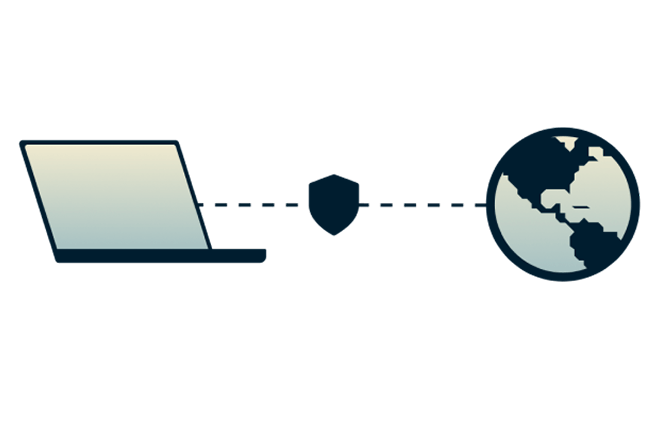
This process protects your online activity from being monitored by hackers and others using the same network as you.
Why your VPN location matters
Your VPN location plays a crucial role in your online experience. Choosing a server closer to your physical location reduces latency and improves speed, making browsing, streaming, and gaming smoother. Selecting the right VPN server location allows you to balance speed and privacy.
What is a VPN server address?
A VPN server address is the unique identifier (usually an IP address or hostname) of the server you connect to when using a VPN. It acts as the gateway for your device, enabling secure, encrypted communication between your device and the internet. The server address ensures your traffic is routed correctly and replaces your IP location with the VPN server’s location.
How to choose the best VPN server
The right VPN server can significantly impact your online experience, whether you’re looking for speed or security. Consider your needs—stable streaming, enhanced privacy, safe online gaming, or secure remote working—and select a server location that aligns with your goals. Opt for nearby servers for faster speeds and lower latency. With ExpressVPN’s worldwide network of servers, you can ensure the best combination of performance, security, and accessibility.

For streaming content securely
ExpressVPN’s servers are optimized to provide smooth, secure streaming with no bandwidth throttling, ensuring you can enjoy TV shows, movies, and sports without interruptions. Our servers are compatible with popular streaming platforms, making it easy to safely access your personal accounts on any network, even public Wi-Fi.
With VPN servers in all 50 U.S. states and 113 countries globally, you can stay securely connected to your preferred platforms. ExpressVPN ensures secure, high-speed access to the content you love.

For enhanced privacy and security
ExpressVPN is built with privacy at its core, ensuring your online activities remain private and protected. We don’t collect activity or connection logs, meaning your browsing history, traffic destinations, and DNS queries are never recorded.
Our TrustedServer technology provides an additional layer of security—our servers run entirely on RAM, which erases all data with every reboot, leaving nothing behind. This commitment to privacy and innovative security measures ensures you stay protected, even in high-risk environments.
For faster speeds and lower latency
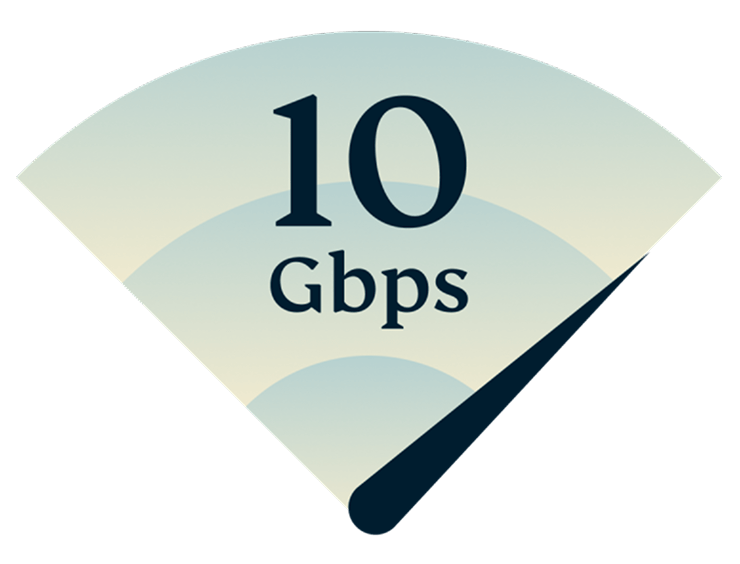
Speed and latency are crucial for a seamless online experience, and ExpressVPN’s servers are designed to deliver both. With a global network of 10-Gbps servers, we can support massive data throughput—up to 10 Gigabits (10 billion bits) per second per server. This ensures smooth performance even during peak usage.
For the best speeds, connect to a server close to your physical location. Whether streaming, gaming, or downloading, our high-bandwidth servers keep your connection fast and reliable.
Connect to ExpressVPN’s server locations on all your devices
Download a VPN app for all your devices and access reliable VPN server addresses. Set up ExpressVPN on multiple devices and use it on up to 14 simultaneously.


Computers, tablets, and phones
Windows, Mac, Android (phones and tablets), iOS (iPhone, iPad, iPod), Linux, Chromebook, Amazon Kindle Fire, Windows Phone
Routers
Aircove, Asus, D-Link, DD-WRT, Linksys, Netduma, Sabai, Tomato, TP-LINK
Smart TV systems
Apple TV, Android TV, Amazon Fire Stick, Nvidia Shield
Network-assisted storage
ASUSTOR, QNAP, Synology
Benefits of using a VPN server location

Secure your data while traveling
Travelers and expats might encounter additional security risks when accessing essential services, like online banking, government portals, or e-commerce platforms. By connecting to a VPN server, you can securely log into these accounts. This helps protect your data from being picked up by malicious actors on public Wi-Fi hotspots or other shared networks.
Enhanced privacy
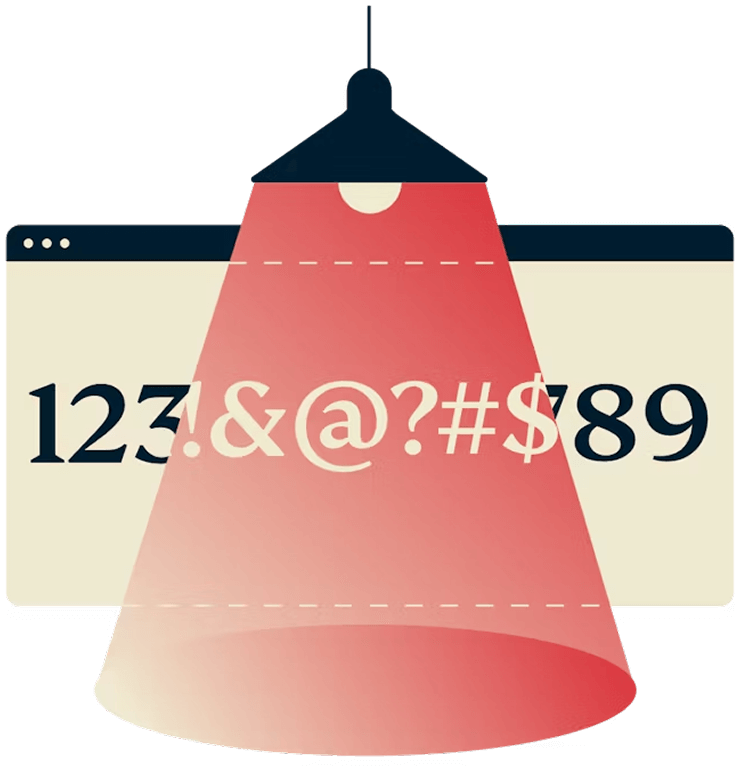
Connecting to a VPN server, regardless of location, will enhance your online privacy. It may make it harder for websites, advertisers, or potential snoops to link your activity to your location.

Optimized speed and performance
Choosing a VPN server near your physical location will maximize speed and improve latency. There are some specific scenarios where your connection speed might improve when you connect to a VPN server, for example, VPN encryption can help you avoid ISP content-based throttling and optimize routing to reduce congestion.
Why choose ExpressVPN?
-
![Db8c437d2758ddd6bbdad331e53e26a5]()
TrustedServer technology
Audited to confirm essential privacy protections, TrustedServer sets a new standard for security.
-
![C54a51603b7c1c88c404359fc6d4defb]()
Get set up right away
Connecting to ExpressVPN is quick and easy. Just sign up, download, and connect with the tap of a button!
-
![1782323c18421b807a8d6c49c458bfc1]()
Lightway protocol
Our proprietary protocol was built from the ground up to prioritize speed without sacrificing stability. It’s also efficient, using minimal battery power and data on mobile devices.
-
![B16922d2aff06130eb5532249f953361]()
Browse with enhanced privacy
Change your device's IP address and location so that websites cannot use that data to identify you.
-
![E9939c31cbfb80f9f8441ec3ae2635bc]()
Stream videos and music
Enjoy your favorite shows and movies on your personal accounts—with privacy, security, and blazing-fast speeds on 10Gbps servers.
-
![D9995993597d40ae5b3b53f17a35a9c8]()
Live chat support
Contact the ExpressVPN Support Team from within the app around the clock if you have questions.
-
![53f7422cf049e2629e265d792b8376a2]()
Independently audited
Third-party assessments verify our security claims through rigorous testing of our apps and systems.
-
![Globe Card 50x50 1]()
Multilingual interface
English not your first choice? Use ExpressVPN's app and browser extensions in any of 17 other languages.


FAQ: VPN servers
What is a VPN server?
A VPN server is a dedicated server designed to provide secure and private internet access. It works by encrypting your internet traffic and routing it through a secure tunnel, ensuring that your data is protected from hackers and cyber attacks. By doing so, a VPN server masks your IP address and replaces it with one associated with the server’s location, enhancing your privacy and security online.
How do I set up a VPN server?
To set up a VPN server, you can use a compatible router, dedicated software, or a home computer. Here's a quick guide:
Router: Many modern routers support VPN server functionality. Enable the VPN feature in the router's settings, choose a VPN protocol (like OpenVPN), and configure encryption and user credentials.
Software: Install VPN server software like OpenVPN or SoftEther on a computer. Configure the software with VPN protocols, set up user accounts, and ensure the appropriate ports are open for remote access.
Home computer: For Windows, macOS, or Linux, you can use built-in or third-party VPN software to turn your computer into a VPN server. Configure encryption, user credentials, and port forwarding.
To protect your data, ensure strong security settings, such as encryption and firewall configuration. Once set up, test the connection to make sure everything is working properly.
Is a VPN server free?
While some VPN providers do offer free VPN servers, they typically come with limitations that can affect your experience. These limitations may include:
Reduced speeds: Free VPN services often have fewer resources allocated to them, meaning you may experience slower connection speeds, especially during peak usage times.
Data caps: Many free VPNs impose strict data usage limits, which could restrict how much you can browse, stream, or download. Once you hit the limit, you may be forced to wait or upgrade to a paid plan.
Fewer server locations: Free VPNs typically offer a limited number of servers in fewer countries. This reduces your ability to access content from specific regions and can lead to overcrowded servers, resulting in slower speeds.
Additionally, there are privacy concerns with free VPN services. Some of these services might log your data, track your online activities, or even sell your personal information to third parties for profit. This undermines the very purpose of using a VPN—to protect your privacy and anonymity online.
Premium VPN services typically offer better performance, stronger security, and more server locations. They are less likely to log user data and often provide more robust encryption protocols, ensuring your online activities remain secure. While premium VPNs come with a subscription cost, they deliver a much higher level of service, privacy, and peace of mind compared to free VPN providers.
Are VPN servers legal?
VPN servers are legal in most countries, but some regions restrict or ban their use. Always check local laws to ensure compliance.
How do I find my VPN server address?
Your VPN server address is typically displayed as an IP address or hostname in the settings or configuration details provided by your VPN provider.
Is a VPN a proxy server?
A VPN and a proxy server share similarities, but they are distinct tools designed for different purposes. Both act as intermediaries between your device and the internet, masking your IP address to make it appear as if your traffic originates from another location. However, the key difference lies in how they handle your data and the level of security they provide.
A VPN (virtual private network) encrypts your internet traffic, creating a secure tunnel that prevents others from reading or using your data, even if it’s intercepted. This encryption ensures your privacy and makes VPNs an excellent choice for safeguarding sensitive information and protecting your identity online.
A proxy server, on the other hand, does not typically encrypt your data. While it can mask your IP address, it lacks the robust security features of a VPN. Proxies are generally used for less sensitive activities, like managing web traffic in corporate environments.
While both tools can hide your IP address, a VPN is a more comprehensive solution for privacy, security, and anonymity, whereas a proxy is a lighter, less secure option for simple use cases.
Which VPN has Indian servers?
ExpressVPN has virtual VPN servers for India. As of 2022, Indian law requires VPN providers with servers in India to collect extensive customer data. ExpressVPN’s virtual India servers in Singapore and the UK allow you to connect to a VPN from India or get an Indian IP address from anywhere, without compromising your privacy.
What is a server address for a VPN?
A VPN server address is the IP address or hostname of the server you connect to. It enables secure communication and masks your location.
How do I set up a home VPN server?
If you want to turn your home computer into a VPN server for remote access or to secure your internet connection at home, you can try these steps:
- Windows: For Windows users, the built-in Windows VPN server (via PPTP or L2TP) can be configured through the Control Panel. You’ll need to enable incoming VPN connections and adjust firewall settings.
- Mac: On macOS, you can use Mac OS X Server or set up a third-party VPN service like OpenVPN for greater customization and control.
- Linux: For Linux, use OpenVPN or WireGuard, two popular, open-source options that require configuring via the terminal and editing configuration files.
Setting up a VPN server can be technically challenging, but it can provide you with greater control over your network. If you’re unsure about any step, consider using a VPN provider that offers ready-to-use solutions with easy setup guides, such as ExpressVPN.
How do I set up a VPN remote access server?
To create a VPN remote access server, configure your network or router to enable remote VPN connections. Use software like OpenVPN or built-in router features, set strong encryption, and create user accounts for secure access.
Try ExpressVPN today, risk-free
New users: take advantage of our risk-free 30-day money-back guarantee:
If you’re not satisfied with ExpressVPN for any reason, contact Support within 30 days and get a full refund.