Discord VPN: Secure chatting and reliable access
Protect your data and access Discord more securely with a fast, private VPN connection
- Use Discord reliably on restrictive networks, like on campus or at work
- Keep voice and video calls clear with fast, low-latency connections
- Protect your IP address from exposure with industry-leading encryption
30-DAY MONEY-BACK GUARANTEE FOR FIRST-TIME USERS
-

IPHONE/IPAD -

Android -

Windows -

Mac -

Linux -

Router -

Smart TV -

Game console
How to use ExpressVPN with Discord
Set up ExpressVPN quickly and connect to Discord in minutes
-
Step 1

Choose your plan and download ExpressVPN
Sign up and download the app with a 30-day money-back guarantee*.
-
Step 2
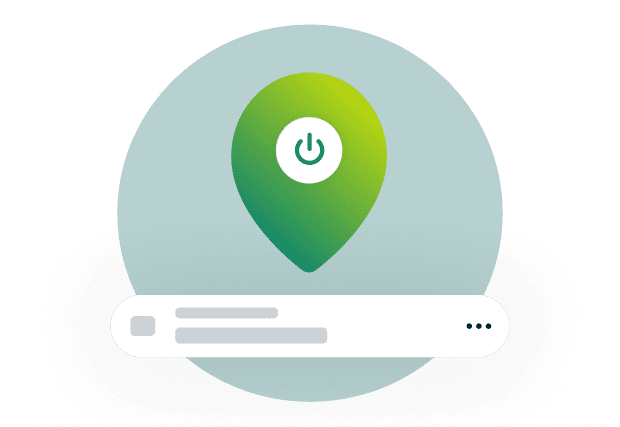
Connect to a secure server location
Choose a VPN server and tap the on/off button to connect.
-
Step 3
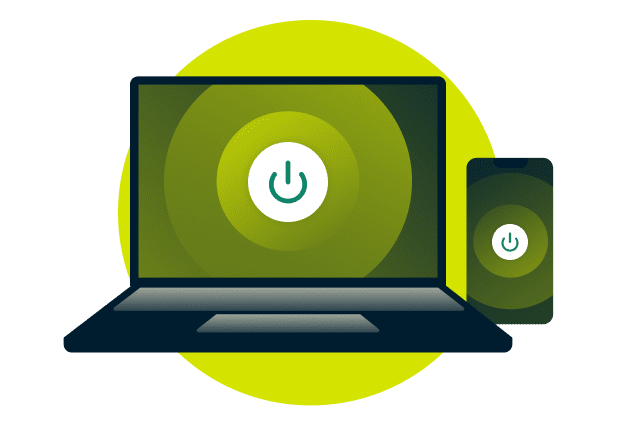
Open Discord and start chatting
Launch the Discord app to chat, call, and video with added privacy.
24/7 live chat support
*30-day money-back guarantee available to new customers only. Contact Support to request a refund. iOS refunds are subject to Apple’s discretion.
Why use a VPN for Discord?
See how a VPN supports safer, more reliable access to Discord

Overcoming local network blocks at school or work
Chat and call reliably on Discord, even on restrictive school Wi-Fi or workplace networks that limit app access. Using a VPN service with Discord encrypts your traffic and masks your IP address, which helps overcome network-level blocks and restrictions on certain connections.
Protecting your IP address from DDoS attacks
Avoid targeted disruptions to Discord voice chats while gaming with a VPN and in group calls. A VPN for Discord hides your real IP address behind a shared VPN IP address, making it harder for attackers to locate and target you with DDoS attacks.
Maintaining privacy on public Wi-Fi networks
Protect your Discord conversations on public Wi-Fi while you travel or work remotely. A Discord VPN creates an encrypted tunnel that prevents network-level snooping, keeping your chats and calls private from others on the same network.
Get the most from your Discord VPN
Fine-tune your VPN for better Discord connections and call quality
-
Use the Lightway protocol for lower latency

Enable ExpressVPN’s Lightway protocol to maintain fast response times during Discord voice chats and group calls. We built Lightway for speed and reliability, so it can reduce delays during real-time conversations, especially on mobile networks or during ranked matches and team play.
-
Choose the server location closest to you
Connecting to a nearby VPN server helps lower ping and improve call responsiveness on Discord. Shorter physical distance between you and the server supports faster data travel, which helps voice chats stay clear and consistent during calls.
-
Fix "RTC Connecting" and "No Route" errors

Switch server locations or VPN protocols if Discord voice fails to connect. Lightway and WireGuard use UDP, which Discord requires for voice connections. If errors persist, try disabling Quality of Service High Packet Priority in Discord’s Voice & Video settings.
-
Minimize Discord verification prompts
Stick with one server location to keep your connection more consistent on Discord. Frequent IP address changes can trigger extra verification checks. A dedicated VPN IP address takes this further by giving you the same IP address every time you connect.
Why ExpressVPN is the best VPN for Discord
Get reliable voice chat, protected conversations, and coverage across all your devices
Maintain clear voice and video calls with fast speeds
Reduce lag, delays, and dropped audio on Discord voice and video calls. ISPs sometimes throttle real-time communication apps like Discord, slowing down your connection.
ExpressVPN hides your traffic type, helping you avoid content-based throttling. Fast 10Gbps and 40Gbps servers keep your calls clear, even during peak hours.

Access reliable connections across the globe
ExpressVPN helps you maintain dependable connections to your chats while traveling or switching between different networks.
You get access to VPN servers in 113 countries, making it easy to find a fast one nearby. Automatic obfuscation also makes VPN traffic blend in with regular traffic, supporting more consistent Discord access, including on restrictive networks.
Get strong privacy protection, proven by audits
ExpressVPN never logs your browsing activity, connection timestamps, or IP address—your Discord usage stays private.
Our strict no-logs policy is backed by TrustedServer technology, which uses RAM-only servers that can't store data permanently. Independent audits verify both our policy and server infrastructure, so you can use Discord with confidence.

Cover all of your Discord devices with one plan
Access and use Discord for gaming, work, and personal chats across all your devices. A single plan covers Windows and macOS desktops, iOS and Android phones, and more.
Connect to your VPN on up to 14 simultaneous devices with a single subscription.
Advanced features for Discord
Get more control over how Discord works with your VPN
Reduce threats with Advanced Protection
Use Discord with built-in threat protection against trackers, intrusive ads, and known malware sites.
Advanced Protection works at the DNS level to help stop threats before they load, whether you’re clicking links shared in Discord or browsing while the app runs in the background.

Manage traffic efficiently with split tunneling
Select which apps bypass the VPN to help keep speeds fast while you multitask.
Split tunneling lets Discord use the VPN while games, browsers, or work tools use your regular connection. This keeps latency low for gaming while Discord stays protected.
Stay protected on new networks with Auto-Connect
Avoid sending Discord traffic over unsecured networks when you switch Wi-Fi locations.
Auto-Connect turns on the VPN when you join untrusted school, café, or hotel networks, automatically adding a layer of protection to your Discord chats and calls.
Launch Discord faster with Shortcuts
Save time by launching Discord directly after connecting to the VPN.
The Shortcuts feature streamlines your workflow, letting you connect and open Discord from one place, so protection is in place before the app starts.
What people are saying about ExpressVPN
Discover why millions worldwide trust ExpressVPN for its privacy and reliability
-
Absolutely fantastic. It was the perfect solution for connectivity issues in a game I've been playing recently.
J B


-
ExpressVPN is the perfect all around VPN service for your network security needs.
Dirt_Reynolds


-
ExpressVPN is the fastest VPN I've found. It shows you the fastest server you can connect to, and a list of alternate servers.
Christopher Gilmer
-
#1 Best VPN 2026 & Best Gaming VPN
ExpressVPN is the best Gaming VPN right now, thanks to its impressive speeds, excellent privacy protections and expansive global network of servers.

-
Editor’s Choice Award 2026
ExpressVPN’s expansive network and dedication to staying on the forefront of encryption tech earn it an award.

-
#1 Best VPN for the U.S. 2026
ExpressVPN is the best VPN for the U.S. right now. It has VPN servers in every American state, excellent security, and a simple user interface.

-
 Rated 4.4 out of 5
 -
 Rated 4.7 out of 5






Discord VPN: Common questions
Learn how VPNs interact with Discord voice and messaging
Does Discord work with a VPN?
Yes, Discord works with a VPN for voice chats, messaging, and video calls with enhanced privacy. A reputable VPN supports stable connections on restricted networks or public Wi-Fi. ExpressVPN offers apps and protocols designed to maintain reliable Discord performance during multiplayer games or remote work calls.
Why is Discord not working with a VPN?
Discord may not connect if the VPN server, protocol, or network route causes conflicts. Switching server locations, changing protocols, or using the Discord browser version can help. ExpressVPN makes these adjustments easy, which often resolves “discord not working with vpn” issues during calls or chats.
Does Discord ban users for using a VPN?
No, Discord does not ban people simply for using a VPN. Discord allows VPN use for privacy and security. However, actions like ban evasion or violating Discord’s Terms of Service can still result in restrictions, regardless of whether you use a VPN for Discord.
Can a VPN help with Discord IP bans?
A VPN assigns you a different IP address, which may help if you're experiencing connection issues unrelated to account enforcement. ExpressVPN does not support using a VPN to bypass Discord bans or violate Discord's Terms of Service.
Is it legal to use a VPN for Discord?
Yes, using a VPN for Discord is legal in most countries. People often use a VPN for Discord to enhance their online privacy or connect securely on shared networks. Local laws can vary, so it’s important to follow applicable regulations while using Discord and any VPN service.
Does a VPN slow down Discord voice or gaming?
A VPN may add slight latency, but ExpressVPN minimizes this with our Lightway protocol and 10Gbps to 40Gbps servers. Most users have no noticeable difference while using Discord during fast-paced multiplayer games or team calls.
Which devices work best with a VPN for Discord?
Discord works well with a VPN on Windows and macOS desktops, plus Android and iOS phones. These devices cover most Discord use, from PC gaming voice chats to mobile messaging. ExpressVPN supports all major platforms, making it easier to use Discord consistently across devices.
Get the best VPN for Discord today
- Use Discord dependably at work and school
- Maintain fast speeds for clear voice and video calls
- Shield your Discord activity with robust security